RunOS Team ·
How to Bill for GPU Usage
Renting out GPUs sounds simple. A customer uses a card for an hour, you charge for an hour.
Then you try to build it. Which hour? Which card? What about the spot VM that got stopped halfway? What about the inference pool that grew from two replicas to six at lunch?
This is a short guide to getting GPU billing right. People also call it neocloud billing, or GPUaaS billing, when a GPU cloud provider does it. It’s what we learned building RunOS GPU Billing.
Start with the meter
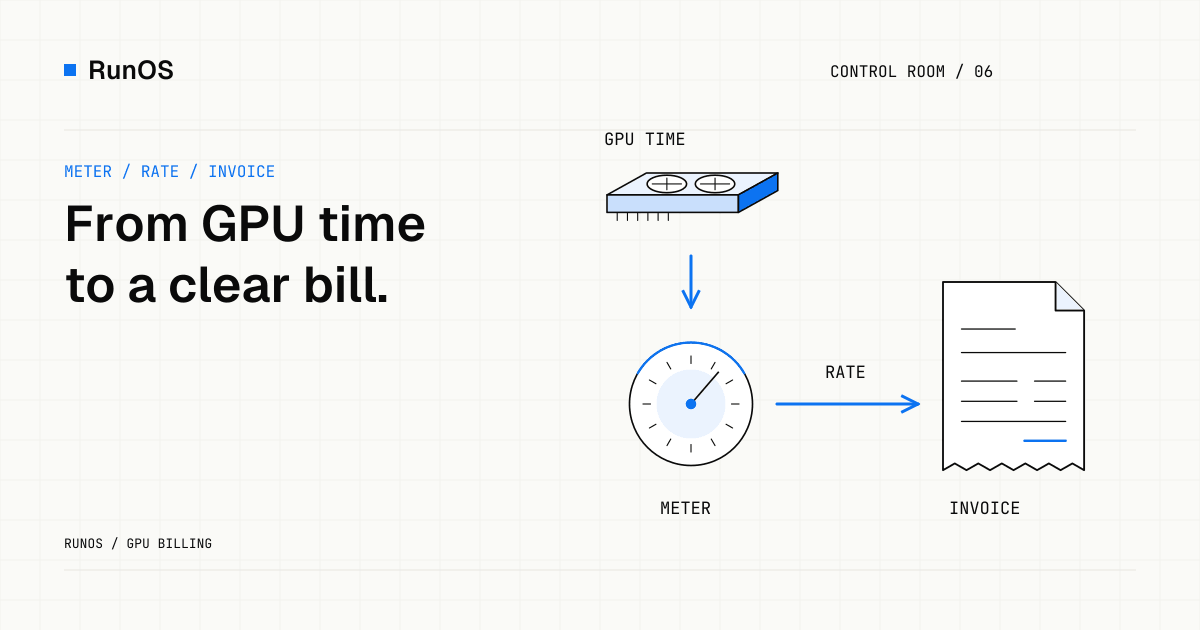
Billing has three steps, and they happen in order:
- Meter. Record who held which GPU, and for how long.
- Rate. Multiply that time by a price.
- Invoice. Add up the lines and send the bill.
Most GPU billing problems are really metering problems. If the meter is wrong, no pricing rule can fix it later.
So meter the thing that costs you money: time a workload holds a GPU. Not utilization. A card that’s allocated to a customer and sitting at 0% is still a card you can’t sell to anyone else.
Meter in seconds, show hours
Per-hour billing is easy to explain and bad for short jobs. Nobody wants to pay for an hour to run a ten-minute test.
Meter in seconds. Then show the price per hour, because that’s how people compare GPU prices. $3.20/h is easy to read. The per-second number is not.
RunOS records GPU-seconds for every metered workload, at every tier.
One price per GPU model and tier
A GPU cloud usually sells the same card three ways:
- On-demand. The VM is never interrupted. This is your top price.
- Spot. Cheaper, and it can be stopped. On RunOS a spot VM gets advance notice first. The default is 120 seconds.
- Inference. A pool of GPU VMs that serve one model behind an API key.
Each tier needs its own rate, and each GPU model needs its own row. That’s a rate card. An example, with made-up prices:
| GPU | On-demand | Spot | Inference |
|---|---|---|---|
| H200 | $3.20/h | $1.60/h | $2.80/h |
| L40S | $1.10/h | $0.55/h | $0.95/h |
Inference is the exception. A customer who calls a model thinks in tokens, not GPU-hours. So inference billing usually works per token: meter input and output tokens per API key, and set one price per million tokens for each model. Keep GPU-time pricing for customers who want a dedicated endpoint.
Keep it this simple for as long as you can. Every extra pricing rule is one more thing a customer will ask you to explain.
Decide what happens when spot gets stopped
Spot is where billing arguments start. Pick the rule before you launch, and write it down:
- Bill only for the time the VM held the GPU.
- Stop the meter when the VM stops, not when the notice goes out.
That’s it. A customer who got 40 minutes pays for 40 minutes.
Prepaid or postpaid
There are two ways to collect:
- Prepaid credits. The customer tops up a balance, and usage draws it down. You carry no credit risk. This is the normal choice for self-serve customers.
- Postpaid invoices. You send a bill at the end of the period. Bigger customers expect this.
Most GPU clouds end up with both. Start with whichever one your first ten customers need.
Make the invoice easy to check
A GPU bill can be large. A large bill that nobody can explain turns into a support ticket, then a dispute.
Every line should say four things:
- which workload
- which GPU model and tier
- how long
- at what rate
If a customer can match each line to something they ran, they pay. If they can’t, they email you.
Build it or buy it
You can build all of this yourself. Plenty of teams do. It’s a meter, a pricing table, and an invoice run. Then it’s also credits, price changes mid-month, and a customer page that shows spend so far. It adds up.
Here’s how we split it:
- RunOS does the metering. It records every GPU-second per account and per workload.
- RunOS GPU Billing does the rating and the invoice: rate cards, inference billing per token, prepaid credits, and invoices. It does CPU billing too, for plain VMs and bare-metal servers, so a normal data center can use it.
- Already have a billing system? Keep it. RunOS exports the usage records, and you price them yourself.
Talk to us
If you’re renting out GPUs, or about to, tell us how many you run and how you charge today.
Talk to us. There’s more on the GPU billing software page.